History
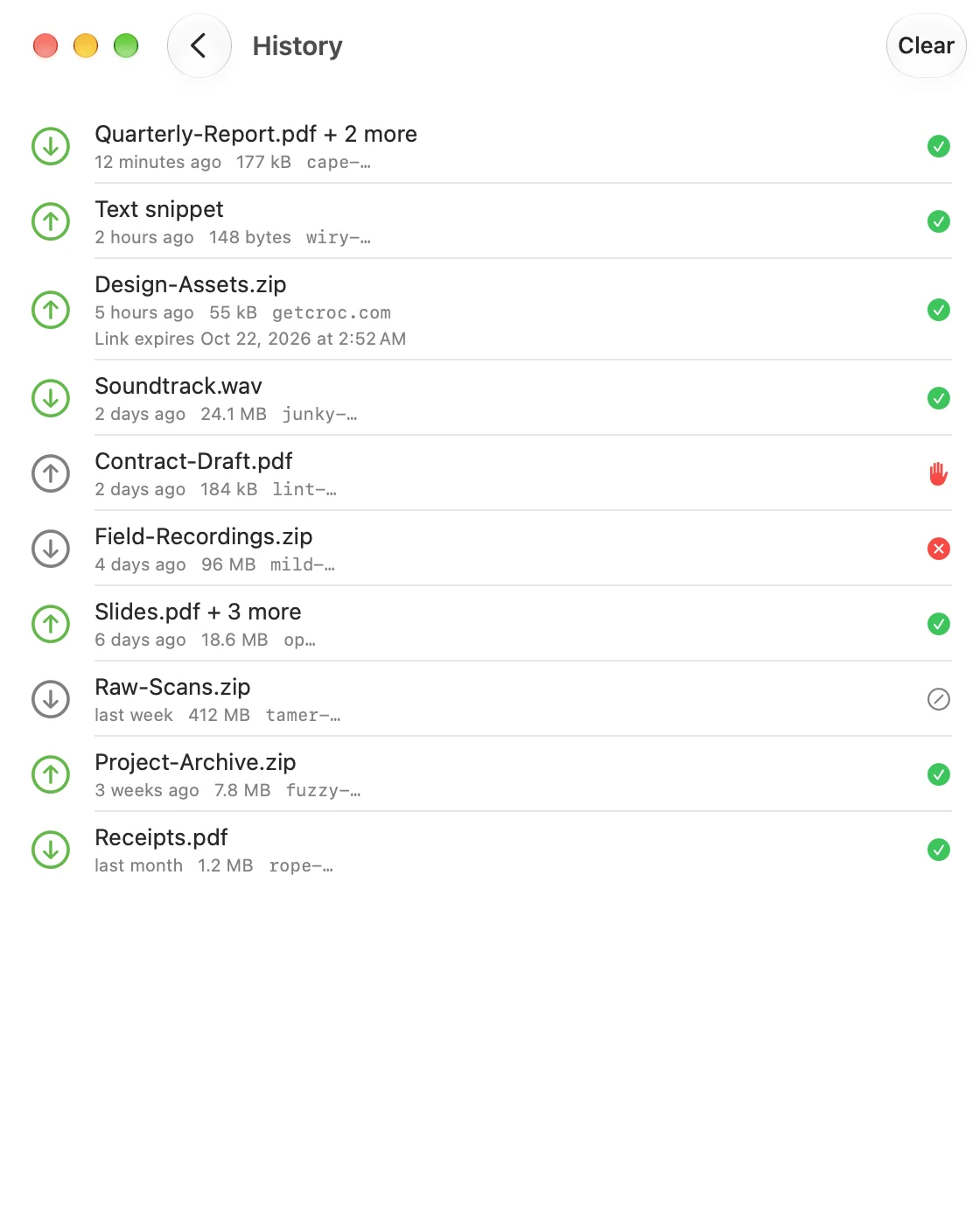
CrocApp keeps a list of past transfers on your device. Open it from the clock icon on the home screen. It has no sync, no export and no server.
What is recorded
Save Transfer History in Settings is on by default. Turn it off and nothing new is recorded. Entries already here stay until you delete them.
For each finished or failed transfer:
- the direction (sent or received), and whether it was text
- up to 20 file names, the file count and the total size
- a code hint: the first word of a code shaped like a generated one (for example
wiry-…), or only the first two characters of any other code. The full phrase is never stored - the date and the status: Completed, Failed, Cancelled or Declined
- for sends, bookmarks to the original files (up to 200) that make Send Again possible
File contents are never recorded.
Send Again
For a past send, the row's context menu (or a swipe on iOS) offers Send Again, which stages the same files in a new send. If the originals were moved or deleted, CrocApp says so instead of sending nothing.
Links you sent
A Send as link row shows the link server's host and when the link expires, then Link expired or Link revoked. Use Revoke Link in the row's context menu to end a live link. The link itself is never stored here.
Delete
- Delete in a row's context menu (or a swipe on iOS) removes that entry.
- Clear in the toolbar, then Clear All, removes the whole list.
Both remove the list only. Files you already received stay where they were saved. Revoke a live link before you delete its row, because the row is where you revoke from.